 Nosce · know thyself
Notice the moment before the feed takes over.
Most screen-time apps put up a wall. Nosce doesn't block apps — it taps you on the shoulder and asks you to notice, in the one second between intention and autopilot.
iPhone · iOS 17 and later · Most data stays on your device. Shared Pacts sync only what they need.
The premise
There's a moment, every time, just before you open the app. Your thumb is already moving. By the time you "decide," you've been scrolling for eleven minutes and can't remember why you picked up the phone.
That moment — between intention and autopilot — is the only place where change is possible. Most apps try to block you out of it. The wall works for about a week, then you learn the bypass, or you resent it, or you uninstall. Walls don't change behavior; they change the geometry of the same behavior.
Nosce does one thing instead: when you've been somewhere too long, it taps you on the shoulder and asks you to notice. That's the whole product. Everything else is in service of that one moment.
Two tools, in this order
A witness first. A wall only if you ask for one.
A gentle, deliberate interruption.
You choose which apps, a time window when willpower is lowest, a usage threshold, an optional re-tap cadence, and the message — in your own words.
“You've been on Instagram for 8 minutes. What were you doing again?”
No shield. No countdown. The phone stays unlocked — you can swipe it away and keep scrolling, and sometimes you will. Notice is not a wall. It's a witness.
For the apps where noticing isn't enough.
An opt-in agreement with yourself, enforced by iOS's shield:
- Daily cap — total minutes before the app locks
- Per-sitting cap — minutes per session before a cooldown
- Cooldown — how long the lockout lasts
- Bedtime wind-down — escalating cooldowns near sleep
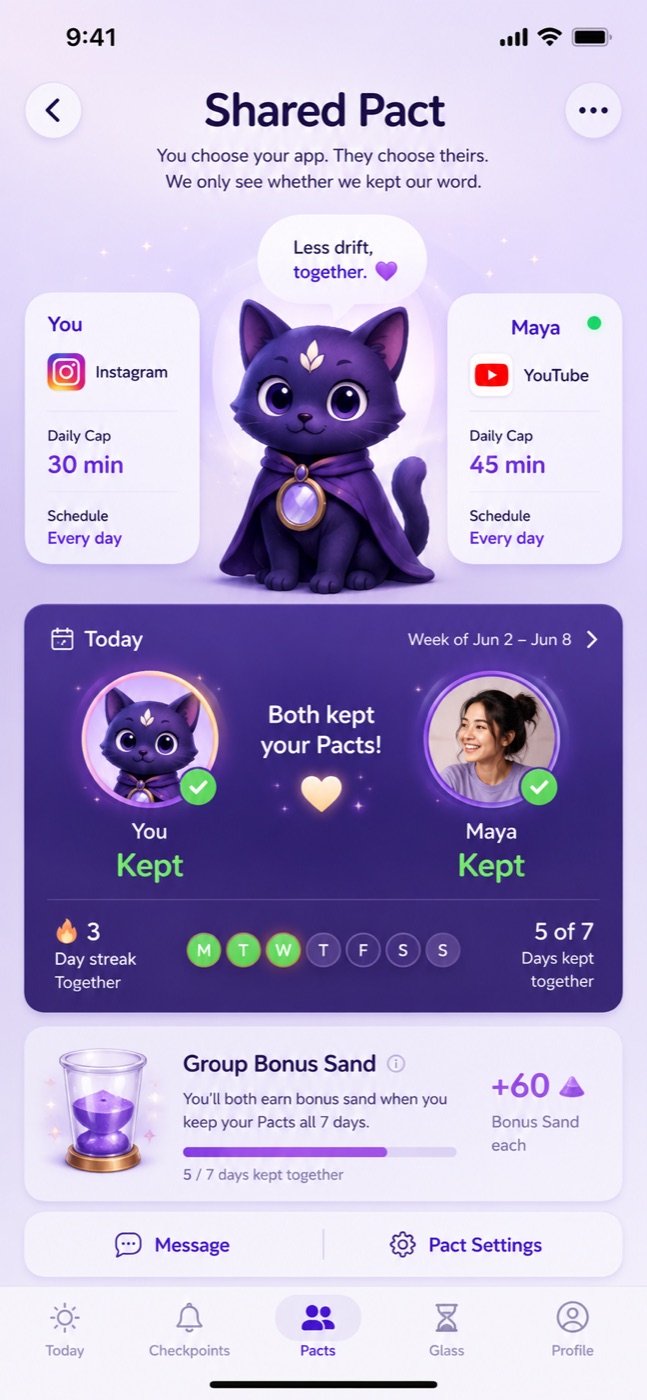
A real wall — hidden by default, chosen deliberately. Notices interrupt. Pacts pact.
A look inside
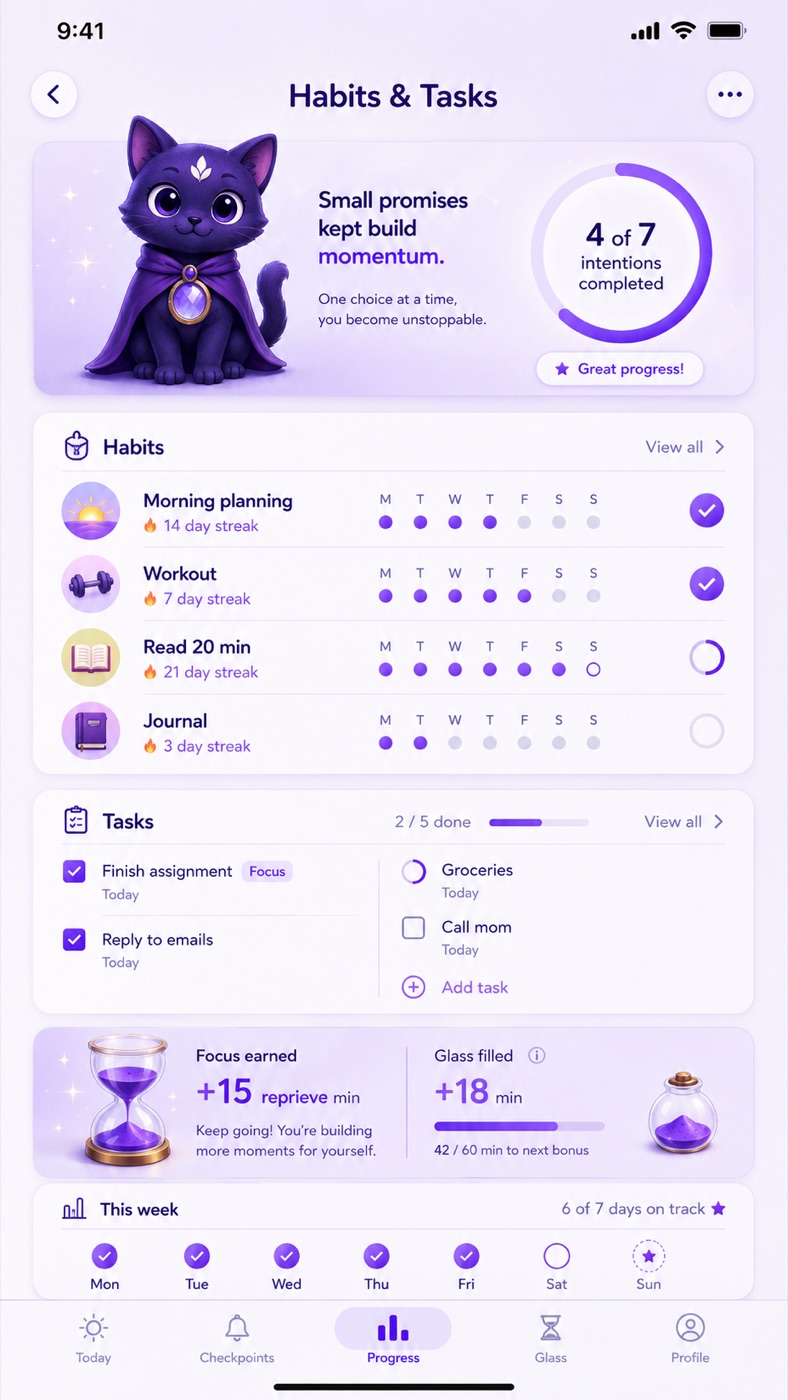
Calm by design.
No dashboard screaming at you — just your word, and whether you kept it.
Earned reprieve
Scroll time isn't prohibited. It's earned.
Every habit you keep and task you finish can be worth bonus scroll minutes — you set the value. A gym session might be worth 10 minutes of unlocked Instagram; a small to-do, 2. When you've banked some, you redeem them and Nosce lifts the shield for that window, then re-applies it after.
There's a daily ceiling, because the point isn't to grind chores for unlimited scroll. The point is to align what feels good in the moment with what you actually wanted from your day.
The intention layer
It can only know you kept your word if it knows what your word was.
Habits
Daily or weekly behaviors with streaks and history. Optional reprieve value.
Tasks
A real to-do list — priorities, due dates, optional links to a habit or focus block.
Plan
Focus slots you carve out, manual or auto-generated from the gaps in your iOS calendar.
Today
The one screen you open: active focus, today's habits and tasks, an honest week card.
Progress
Weekly and monthly views. No vanity metrics, no streak-shame.
Reflection
Once a week, a short read on your own patterns — built from coarse on-device aggregates, never app names or message contents. A mirror, not a microscope.
Pause Nosce
The feature that makes it livable.
Sometimes the right answer is to turn it off for an evening — a dinner, a flight, a day you want to be unmonitored. Pause for 1 hour, 4 hours, until tomorrow, or 24 hours. A single banner stays on Today the whole time so you can't forget. Discipline tools you can't turn off get uninstalled.
The spirit
Three principles, in order.
Notice before you wall.
If you can interrupt a loop with a sentence, don't interrupt it with a lockout. A sentence respects you; a lockout doesn't.
Earn, don't restrict.
Scrolling is a real reward. Deleting the reward is a losing war with the dopamine system. Tying it to things you already wanted to do uses that system to help you.
Honest metrics or none.
Every number has to be something Nosce can actually measure — not “you saved 47 minutes,” but “you stopped within the next cadence 3 of 4 times this week.” It refuses to lie about whether it's working.
What Nosce is not
The category is full of products that do the opposite.
- Not a parental control app. It's for the person installing it. There is no “manage another person” mode.
- Not a productivity game. No XP, badges, streak-panic, or leaderboards — every gamification trick harvests the same attention the app claims to protect.
- Not a guilt machine. It never tells you that you wasted X hours. It tells you what happened and asks what you want to do differently.
- Not block-first. Pacts exist for people who want them, behind a deliberate setup. The default state is aware, not restricted.
- Not a data company. Most data stays on your device; Shared Pacts sync only the pact data needed to work. See the privacy policy →
Notice the moment.
You don't need to be better at willpower. You need to be present for one second, two or three times a day, in the place where the loop starts. Nosce builds that second.